
Associated Equipment Window
The Associated Equipment Window provides detailed access to all data for a specific associated equipment item. It is opened via the green circle icon (three dots) on any associated equipment row. The icon turns gray while the window is open. Only one Associated Equipment Window can be open at a time.
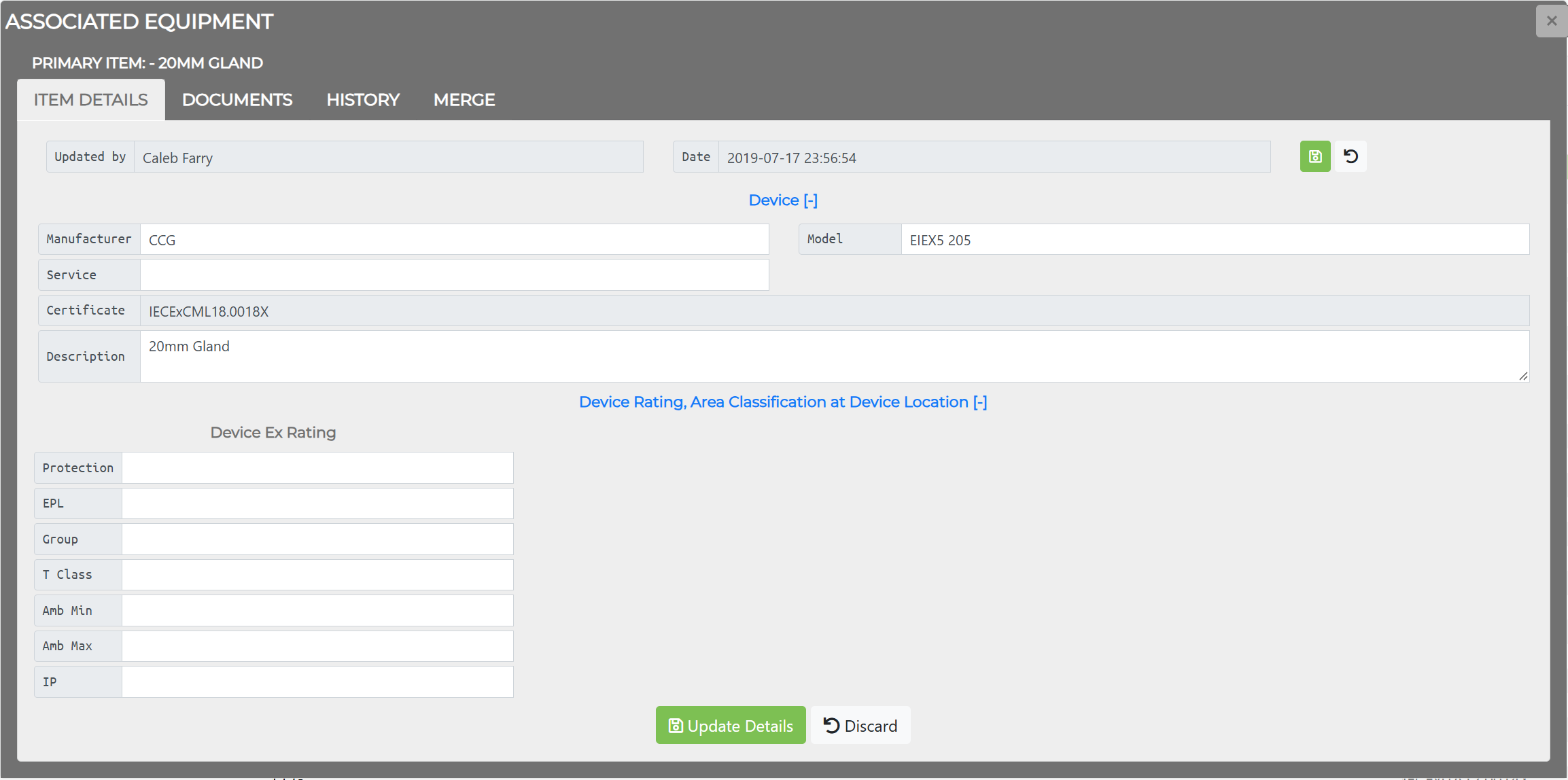
Associated Equipment Window Tabs
Section titled “Associated Equipment Window Tabs”| Tab | Description |
|---|---|
| Item Details | View and edit associated equipment attributes |
| Documents | Manage linked documents |
| History | View change history for all fields |
| Merge | Merge duplicate associated equipment items |
Item Details Tab
Section titled “Item Details Tab”The Item Details tab shows the record’s identification and Ex rating fields. The Certificate field is read-only.
Device
Section titled “Device”| Field | Description |
|---|---|
| Manufacturer | Manufacturer name |
| Model | Model number |
| Service | Service type (e.g., IS Barrier, Gland, Seal, Stopping Plug) |
| Certificate | Certificate of Conformity number (read-only) |
| Description | Free-text description |
Device Rating, Area Classification at Device Location
Section titled “Device Rating, Area Classification at Device Location”The Device Ex Rating fields are Protection, EPL, Group, T Class, Amb Min, Amb Max, and IP.
The Update Details button saves changes; Discard cancels them.
Documents Tab
Section titled “Documents Tab”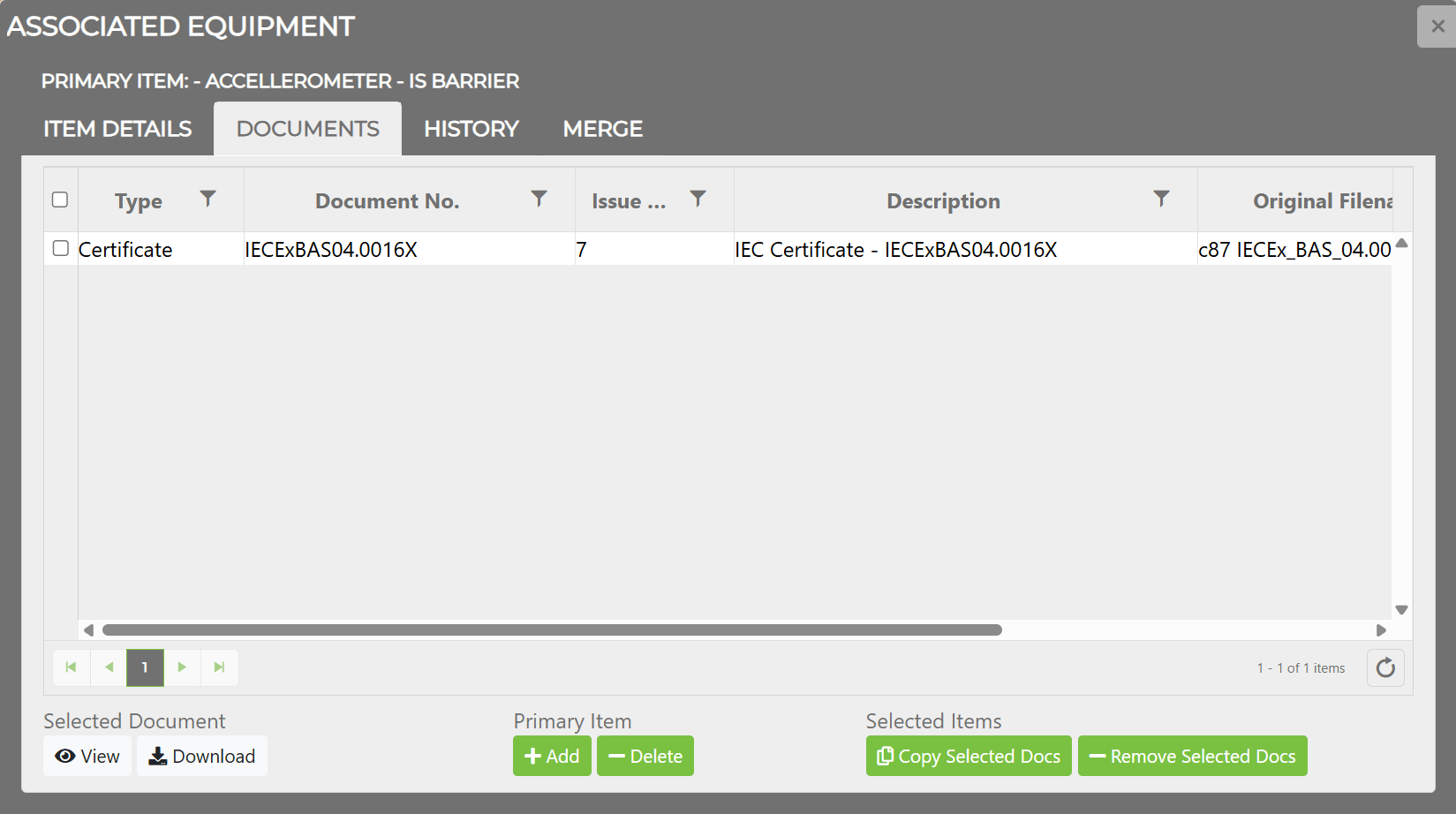
The Documents tab shows all documents linked to this associated equipment item.
| Column | Description |
|---|---|
| Type | Document type (e.g., Certificate) |
| Document No. | Document identifier |
| Issue No. | Revision/issue number |
| Description | Document description |
| Original Filename | Name of uploaded file |
| Comment 1 / 2 | User notes |
| Button | Scope | Description |
|---|---|---|
| View | Selected Document | Opens the document in the viewer |
| Download | Selected Document | Downloads the document |
| Add | Primary Item | Adds a new document to this item |
| Delete | Primary Item | Removes the selected document |
| Copy Selected Docs | Selected Items | Copies documents to all selected associated equipment items |
| Remove Selected Docs | Selected Items | Removes documents from all selected associated equipment items |
History Tab
Section titled “History Tab”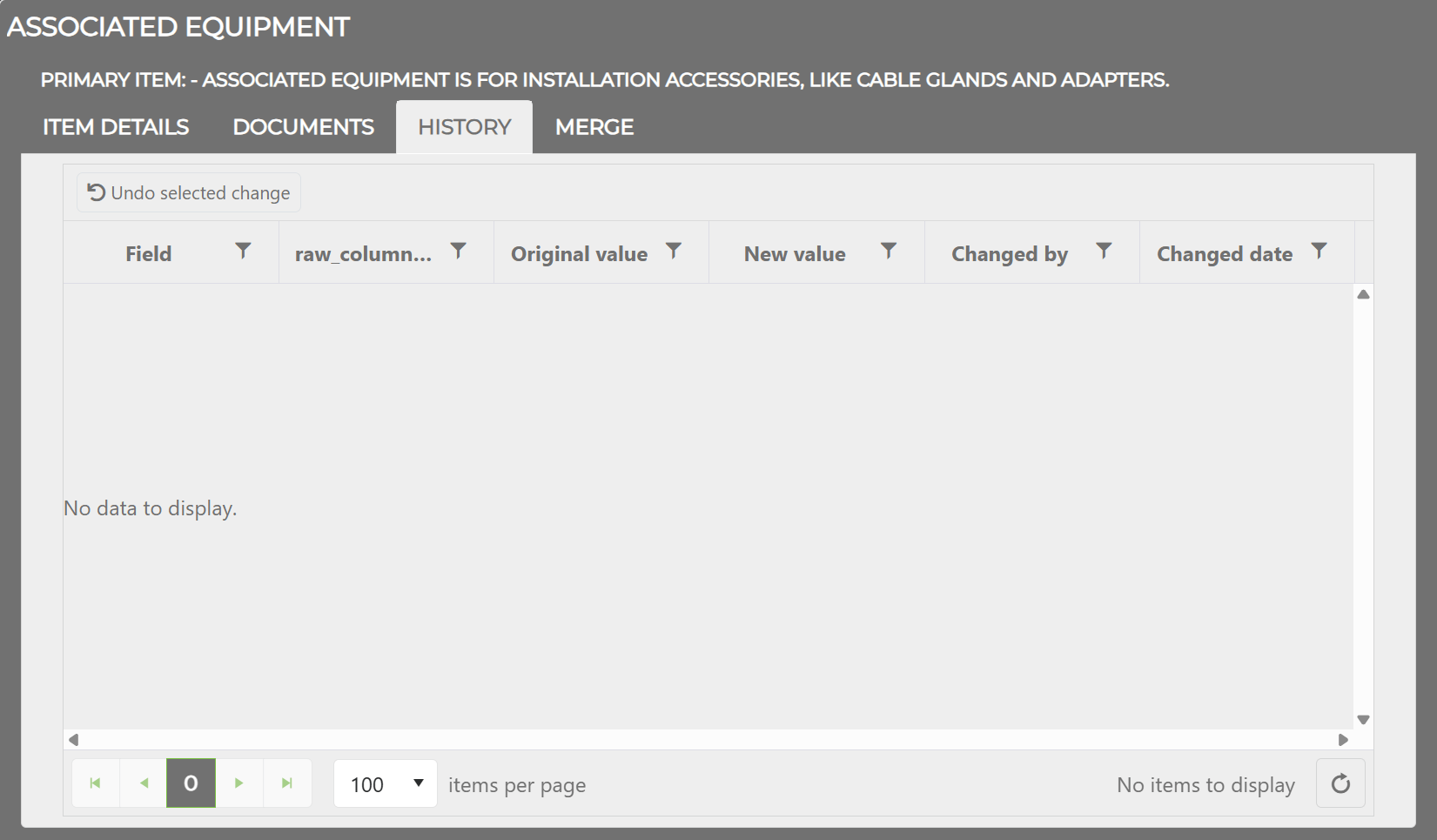
The History tab shows all changes made to the associated equipment item:
| Column | Description |
|---|---|
| Field | Which field was changed |
| Original | The value before the change |
| New | The value after the change |
| User | Who made the change |
| Date/Time | When the change occurred (UTC) |
Merge Tab
Section titled “Merge Tab”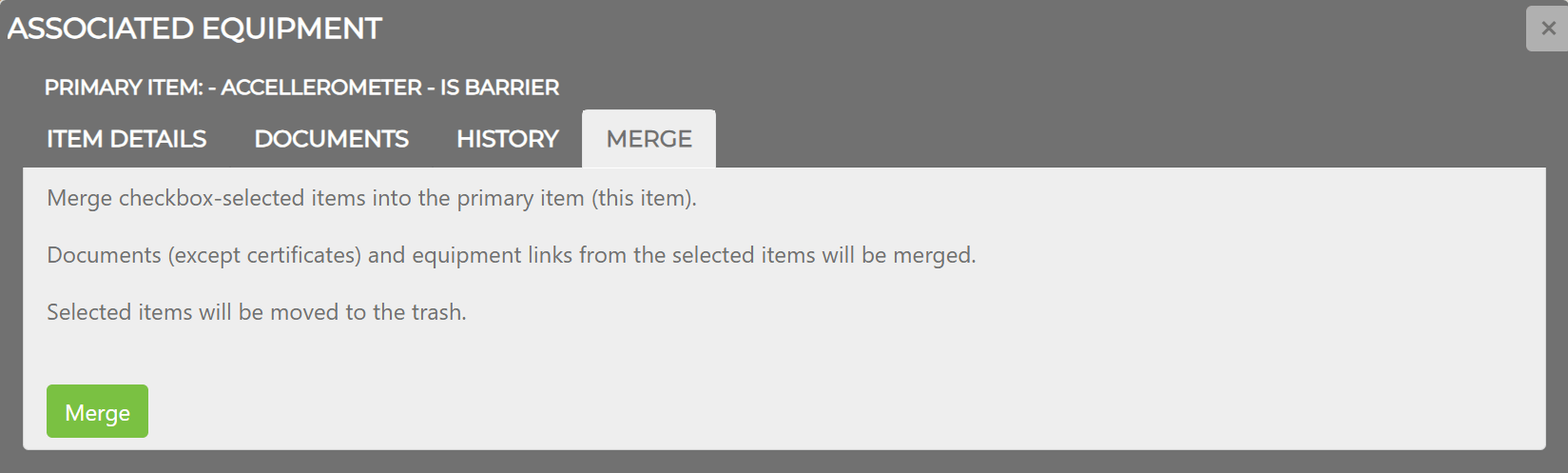
The Merge tab allows duplicate associated equipment items to be merged into one.
Related Topics
Section titled “Related Topics”- Associated Equipment — ASSOCIATED EQUIPMENT tab on the Project Dashboard
- Managing Associated Equipment — Adding, linking, merging, and archiving associated equipment
- Equipment Window — Equipment Window tabs and primary items
- Documents — Document library and management